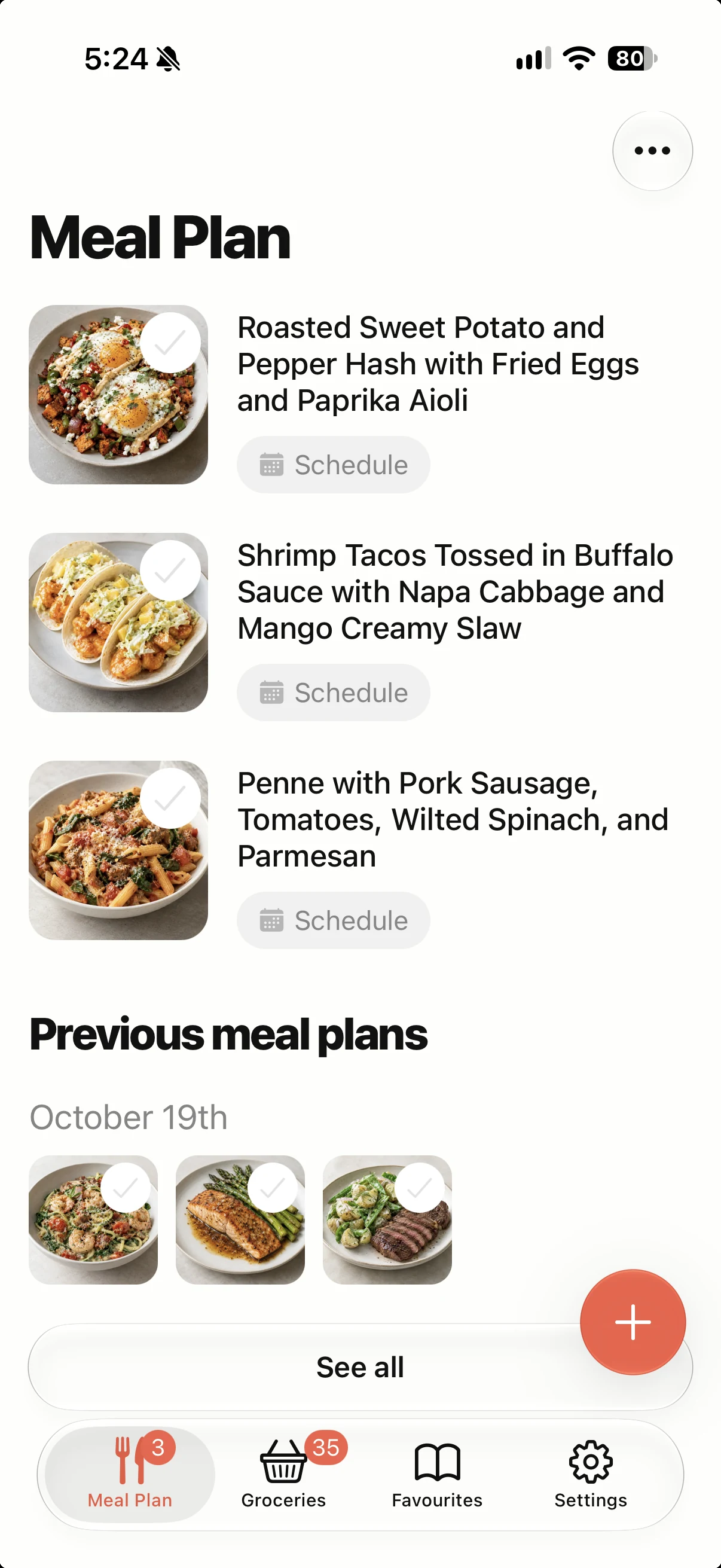
We're still mobile-first. supperz for Web is another way to plan your meals, manage your grocery list, and access your recipes however and wherever you prefer, with one account across devices.
At supperz, we've always believed that meal planning should fit into your life, not the other way around.
That's why we built supperz as a mobile-first app. Your phone is already with you when you're shopping for groceries, finding something to cook, or figuring out what's for dinner.
But we also know that everyone has their own way of doing things.
Some people like planning their meals on the couch. Others squeeze it in during a lunch break, while sitting at their desk, or whenever they find a few spare minutes.
We wanted to make all of those options possible.
So we're introducing supperz for Web, bringing the same meal planning experience you know from our iPhone and Android apps to your desktop or laptop.
No new account. No separate meal planner. Just supperz, wherever you want to use it.
Your meal planning app, now on more screens
supperz was designed to make everyday meal planning simple.
Choose what you want to eat, organize your weekly meals, automatically create a grocery list, and follow your recipes when it's time to cook.
The mobile app remains at the heart of that experience.
With supperz for Web, we're simply giving you another way to do it.
Want to plan next week's dinners from your phone? Go for it.
Already sitting at your computer and thinking about what to make tonight? Open supperz in your browser.
Prefer switching between the two? That works, too.
The important thing isn't which device you're using. It's that your recipes, plans, and groceries are available when you need them.
Plan wherever you are. Pick up wherever you left off.
One of the best parts of supperz for Web is that it works alongside the mobile apps you already use.
Your supperz account connects everything.
Let's say you put together a few dinner ideas on your laptop. Later, you remember another recipe you'd like to try, so you add it from your phone.
When it's time to shop, your grocery list is ready in the mobile app.
Or maybe you do all your meal planning on your phone, as usual, but occasionally want to open a recipe on your computer.
You can do that, too.
Your meal plans, grocery lists, favourites, and custom recipes sync between the web, iPhone, and Android when your devices are connected.
There's no need to transfer lists manually, email recipes to yourself, or start over on another device.
It's all part of the same supperz experience.
Everything you need to plan, shop, and cook
The web app includes the familiar supperz features that bring meal planning together in one place.
Find recipes you'll actually want to cook
Browse the supperz recipe collection, discover new dinner ideas, and search for meals that suit your tastes.
You can choose your own recipes or get suggested meal plans based on your preferences.
Whether you're planning several days ahead or just looking for tonight's dinner, supperz helps take the guesswork out of deciding what to eat.
Build a meal plan that works for you
Add recipes to your weekly meal plan, adjust servings, swap meals, and make changes whenever your plans change.
There's no rigid schedule you have to follow.
Your meal plan should work around your week, not the other way around.
Let supperz handle the grocery list
As you choose your meals, supperz automatically builds an organized grocery list from their ingredients.
Quantities are adjusted for your selected servings, compatible ingredients are combined, and you can add anything else you need to pick up.
Your grocery list syncs with your phone, so it's there when you get to the store.
No copying ingredients. No juggling separate lists.
See how meal planning and automatic grocery lists work together.
Keep your favourite recipes together
Save recipes you enjoy, create your own, and revisit meals you've made before.
Your favourites and custom recipes are available across your signed-in devices.
That means you can add a family recipe from your computer and find it again when you're ready to cook from your phone.
No desktop installation required
Using supperz on your computer is straightforward.
Just open app.supperz.com in your browser.
You can sign in with your existing supperz account using email, Google, or Apple.
Once you're signed in, supperz loads your saved library so you can get back to planning.
If you're new to supperz, you can create an account and get started from the web.
And because the web app shares your account with the iPhone and Android apps, you can move between devices without maintaining separate libraries.
There's nothing extra to install on your computer and no second subscription to manage.
Still mobile-first. Just more flexible.
We're not replacing the supperz mobile app.
In fact, quite the opposite.
We believe your phone is one of the most convenient places for meal planning because it's already part of your everyday routine.
It's there when you think of a dinner idea, when you're shopping, and when you're standing in the kitchen wondering what to make.
Our goal with the web app isn't to change that.
It's to make supperz available however and wherever you prefer to plan.
That means you can continue using supperz entirely on your phone, use it occasionally on your computer, or switch between both.
There's no right way to use it.
And that's exactly the point.
Frequently asked questions
Can I use supperz on my computer?
Yes. supperz is now available as a web-based meal planning app at app.supperz.com. You can plan meals, browse recipes, manage groceries, and access your saved library from a desktop or laptop browser.
Does supperz sync between desktop and mobile?
Yes. Sign in with the same supperz account on your computer and your iPhone or Android phone. Your supported account data, including meal plans, groceries, favourites, and custom recipes, syncs across devices.
Do I need to download anything to use supperz on desktop?
No. The web app runs directly in your browser. Simply visit app.supperz.com and sign in.
Is supperz free on desktop?
Yes. The core supperz experience, including meal planning, recipes, and automatic grocery lists, is available for free. supperz Pro is available for additional features.
Does my supperz Pro subscription work on the web?
Yes. Sign in with the same account you use on your phone to access your supperz Pro benefits on the web. Certain features that rely on mobile operating-system integrations, such as Apple Health, remain specific to the mobile app.
Can I keep using supperz only on my phone?
Absolutely. The iPhone and Android apps remain central to supperz. The web app is simply another option for people who want to use supperz on their computers.
Dinner, sorted. Wherever life takes you.
We built supperz to make one everyday question a little easier:
What's for dinner?
And we want answering that question to be simple, whether you're relaxing on the couch, sitting at your computer, shopping for groceries, or getting ready to cook.
With supperz now available on iPhone, Android, and the web, you have the freedom to plan your way.
Same recipes. Same grocery lists. Same supperz.
Just more ways to make dinner easier.
 supperz
Dinner, sorted.
Use supperz on your phone, or plan on your computer and keep your meals and groceries in sync.